
Revenue opportunities are hiding in support
Turn customer support into a growth engine.
HelpRev finds customers who want more, may leave, or keep asking for the same thing. Then it shows the right team what happened and what to do next.
Free 30-day trial, no card required. See four customer examples.

Potential revenue$6.8K ARR35 users + plan upgrade
Account teamFollow up now

Your support desk is a goldmine for growth.
But when was the last time your CEO logged in?
Plot twist: they don’t need to.HelpRev analyzes your support inboxes and sends the useful signals to the people who can act.

Most companies built support to resolve problems, not help the business learn.
HelpRev closes the gap
HelpRev finds the signal, keeps the proof, and tells the right people.

HelpRev spots the signal

Right teams see it

Delivered where leaders work
Four ways HelpRev turns support conversations into a growth engine.
See how everyday customer messages can reveal expansion opportunities, retention risk, repeated product demand, and the right moment to ask for a review.
01
Spot the customer who is ready to buy more.
Pricing questions, requests for more seats, and calls for advanced features often reach support first. HelpRev recognizes the buying signal, keeps the customer’s exact words attached, and puts the opportunity in front of Sales while the timing is fresh.Expand revenue with evidence, not guesswork.02
Catch leave risk before the renewal conversation.
One failed export is a ticket. The third one is a pattern. HelpRev connects repeated problems, frustration, and renewal timing so Customer Success can step in before the customer decides to leave.Give Success the pattern, the account value, and the proof.03
Build the roadmap from requests customers actually make.
HelpRev groups similar requests across conversations and accounts. Product can see how often the need appears, who asked for it, and every original message behind the trend.Turn repeated requests into product evidence.04
Turn a great support outcome into a review opportunity.
When a customer says your team saved the day, HelpRev flags the moment while the praise is still fresh. Marketing sees the customer’s words and decides whether it is the right time to ask for a review.Find genuine praise without automatically contacting the customer.




Built into everyday support
The growth engine starts with the support work your team already does.
Run every brand and support inbox from one login. Your team can prioritize conversations, reply with the full context, and keep the customer evidence that Sales, Success, Product, and leadership need next.
One login. Unlimited inboxes.Run every brand and support address from one workspace.
Customer facts beside the threadBring in the plan, order, or account details an agent needs.
Private team collaborationKeep notes, ownership, and handoffs with the conversation.
AI grounded in your businessDraft from your product context, approved articles, and account facts.
 Support workspace
Search conversations and customers
Inbox healthyNorthstar Analytics
Owned by NinaAdding 35 people next month
HelpRev Intelligence
Reply faster without missing the revenue or retention signal.
HelpRev checks the full conversation, customer history, plan, and product knowledge. It flags buying intent, leave risk, and urgency, then prepares a grounded reply and next step for your team to review.
01
See the signal in context
Product language, prior conversations, approved knowledge, and the evidence behind the finding stay connected.
02
Get an answer, or an honest stop
HelpRev cites what it uses and abstains when the evidence is too weak.
03
Review before anything is sent
HelpRev interprets, recommends, and drafts. A person reviews, edits, and sends.
 Marcus JohnsonNorthstar Analytics
“We’re adding 35 people next month. What would advanced reporting cost?”
Customer facts
HealthyPlanScale
Renewal104 days
Account value$6,800 ARR
Approved knowledge
Advanced reporting and Scale plan
Updated 12 days agoPublished
Grounded draft2 approved sources
Hi Marcus, advanced reporting is available on the Scale plan. I’ve included your account team to confirm pricing for 35 additional people and the rollout date.
Scale planAdvanced reporting
Review and send
HelpRev collaboration
Get the right team actingbefore the customer moves on.
Send buying opportunities to Sales, leave risk to Success, recurring demand to Product, and customer praise to Marketing. The original conversation and account context stay attached.
01
Work together in the thread
Private notes, mentions, forwards, and private drafts stay beside the conversation.
02
Make every handoff clear
Assign a person or team, change the status, and leave the reason behind.
03
Automate the obvious work
Route departments to teams and sort known senders with visible, editable rules.
Marcus JohnsonNorthstar AnalyticsSupportAdding 35 people next month
I’m checking the best plan and bringing in the account team to confirm the details.
Private note · @SalesExpansion signal found. Can the account team confirm pricing while the rollout is still being planned?
SalesExpansion follow-up
 Maya ChenAssigned owner
StatusFollow up today
Support→Sales
When expansion intent is foundRule active
HelpRev customer learning
Build from repeated demand.Turn customer wins into growth.
Group requests across customers, collect NPS with the reason behind the score, and surface genuine praise while it is still fresh. Product and Marketing decide what to do next.
01
Ask for the score and the reason
Collect a 1–10 recommendation score, then ask what shaped the answer.
02
See which requests keep returning
Group repeated needs while keeping the original customer conversations attached.
03
Review before work enters the roadmap
A person accepts the suggestion, assigns ownership, and tracks it through delivery.
Two-person approvalsRepeated demand found7
Can approvals require two managers?Atlas Retail · Customer messageTodayWe need a second approver before release.Northstar · Customer message2dAcross 4 customer accountsOriginal messages attached
NPS response9 / 10
“The new approval flow finally works for our team.”
Reason attachedReview opportunity
Two-person approvalsProduct · Needs review
A growth engine works best when the whole company can use it.
Bring everyone in.Connect every inbox.No per-seat orper-inbox fees.
For alternatives that charge $25 per user, ten more users add $250 every month.HelpRev adds $0 in user or inbox fees.
Founding customer pricing
Every plan includes unlimited users, inboxes, and brands.
Choose the message volume and AI work you need. Pay annually to get three months free, and keep your founding rate while you remain subscribed.
Rate lockedKeep today’s price while subscribed.
30-day guaranteeYour money back if it is not right.
Monthly equivalent, rounded up. Billed once a year.
Billing Monthly equivalent, rounded up. Billed once a year. | Starter$15 / month$171 billed annuallyFor a smaller monthly message and AI workload. | RecommendedGrowth$37 / month$441 billed annuallyFor teams turning support into sales, retention, and product action. | Pro$67 / month$801 billed annuallyFor larger monthly volume across several brands or companies. |
|---|---|---|---|
| Access | |||
| UsersAnyone on your team who can sign in and work in HelpRev. | Unlimited | Unlimited | Unlimited |
| InboxesConnect every support email address your customers use. | Unlimited | Unlimited | Unlimited |
| Brands and productsKeep the context and knowledge for each one separate. | Unlimited | Unlimited | Unlimited |
| Monthly usage | |||
| Managed AI creditsEvery email received uses one credit to triage. The rest is yours to spend.Examples assume one type of work. Most teams use a mix. | 7,000per month
| 16,000per month
| 35,000per month
|
| Bring your own OpenAI keyKeeps AI running once your credits are used up. You pay OpenAI directly. | Included | Included | Included |
| Shared inbox | |||
| Prioritized shared inboxKeep the conversations needing attention at the top. | Included | Included | Included |
| Search and filtersFind conversations by status, owner, tag, urgency, intent, or risk. | Included | Included | Included |
| Ownership and statusAssign work and keep its current state visible. | Included | Included | Included |
| Tags and bulk actionsOrganize or update related conversations together. | Included | Included | Included |
| Customer profiles and historyKeep account facts and past conversations beside the thread. | Included | Included | Included |
| Trusted email deliveryForwarding setup, verified sending domains, and delivery health. | Included | Included | Included |
| Team collaboration | |||
| AssignmentsHand a conversation to the right person or team. | Included | Included | Included |
| Internal notes and mentionsCoordinate privately without leaving the customer thread. | Included | Included | Included |
| Private drafts and forwardingPrepare together or pass the full conversation along. | Included | Included | Included |
| AI assistance | |||
| Customer intent and riskSpot urgency, buying intent, frustration, and leave risk. | Included | Included | Included |
| Context-aware reply draftsDraft from the conversation, customer context, and approved knowledge. | Included | Included | Included |
| Agent CopilotRewrite, translate, summarize, and find relevant knowledge. | Included | Included | Included |
| Automation and routing | |||
| Inbox sorting rulesAllow, archive, or mark mail as spam with editable rules. | Included | Included | Included |
| Department routingSend classified work to the team responsible for it. | Included | Included | Included |
| Grouped alert rulesNotify the right team when matching customer activity builds up. | Included | Included | Included |
| Growth intelligence | |||
| Expansion intelligenceSpot sales and upgrade intent. | Included | Included | Included |
| Retention engineConnect problems, frustration, and renewal timing. | Included | Included | Included |
| Product demand radarGroup repeated requests with source conversations. | Included | Included | Included |
| Review opportunity radarSpot praise and successful outcomes. | Included | Included | Included |
| Customer learning | |||
| Customer memoryKeep history, predictions, and next actions together. | Included | Included | Included |
| NPS and surveysCollect a score, reason, and comment. | Included | Included | Included |
| Reporting and leadership | |||
| Operational overviewSee inbox health, open work, customer signals, and recent activity. | Included | Included | Included |
| Evidence-linked briefOpen the conversations behind each conclusion. | Included | Included | Included |
| Scheduled leadership briefsDaily, weekly, or monthly. | Included | Included | Included |
| Connected delivery channelsEmail, Slack, Teams, Google Chat, and webhooks. | Included | Included | Included |
| Administration and security | |||
| Workspace roles and invitationsControl access for owners, administrators, agents, and read-only users. | Included | Included | Included |
| Usage and AI reportingTrack messages, credits, resource use, and reset periods. | Included | Included | Included |
| Audit trailReview security and operational changes with actor and time. | Included | Included | Included |
Every plan includes unlimited users, inboxes, brands, and products. Start a free 30-day trial →
Start with what already works
Keep the support address your customers already know.
Forward incoming mail to HelpRev, verify your sending domain, and add the product knowledge your team already trusts. Customers keep writing to the same place.
Connect your first inboxConnect your support address
Use the support, billing, or product addresses customers already contact.

Add your product knowledge
Bring in approved articles and product context so HelpRev understands what your customers are asking about.
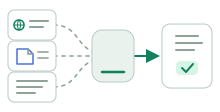
Bring the company in
Invite Support, Sales, Success, Product, Marketing, and Leadership without paying for another seat.
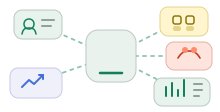
Frequently asked questions
Questions worth asking before you connect the inbox.
What HelpRev replaces, how the intelligence works, and what you actually pay for.
Is HelpRev a support desk or a customer intelligence platform?
Both. Your team handles customer conversations in HelpRev while it also finds expansion signals, leave risk, repeated product demand, praise, and other evidence the company can act on.
How does HelpRev turn support into a growth engine?
HelpRev reads customer conversations in context, keeps the original evidence attached, recommends what should happen next, and surfaces the signal to the team responsible for acting on it.
Can we see the conversations behind every insight?
Yes. HelpRev keeps the customer’s words, account context, related conversations, and suggested next step together. Leadership can start with the summary and inspect the evidence when needed.
Do customers need to contact a new support address?
No. Keep the addresses customers already know. HelpRev begins with forwarding-first setup and verified sending domains, so the change happens behind the scenes.
Can one workspace support several products or brands?
Yes. Each product can retain its own support addresses, knowledge, terminology, and customer context without forcing your company into separate workspaces.
Are users and inboxes really unlimited?
Yes. HelpRev does not add fees for another user, inbox, brand, or product. Plans scale with message volume and AI use instead of user or inbox limits.
What do AI credits pay for?
They cover token-based AI work such as message understanding, drafting, and Copilot actions. Shorter work uses fewer credits; longer, more contextual work uses more.
Is HelpRev a replacement for an enterprise Voice of Customer platform?
HelpRev owns a more focused problem: turning support conversations into evidence the whole company can use. Enterprise Voice of Customer platforms may collect feedback from many additional channels and run broader research programs.

Founding customer pricing
Your customers will keep talking. Make sure your company keeps learning.
Every resolved ticket can contain a customer ready to buy more, a relationship beginning to weaken, a feature people keep requesting, or a win worth sharing. HelpRev puts those moments in front of the people who can act on them.
You can keep closing tickets and losing what customers told you.Or turn the conversations you already have into a growth engine.
ExpansionRetentionProduct demandReview opportunities
The customer conversations will keep coming. Launch pricing will not.